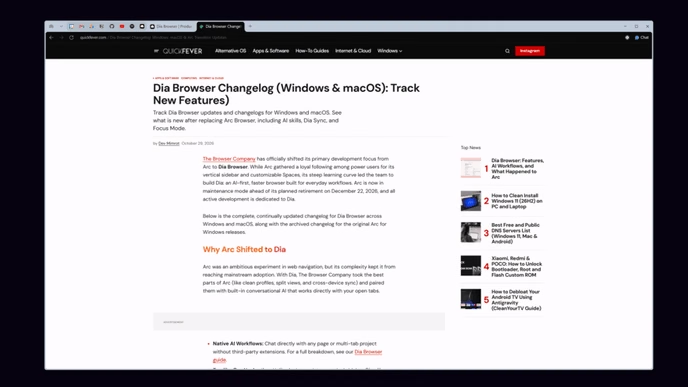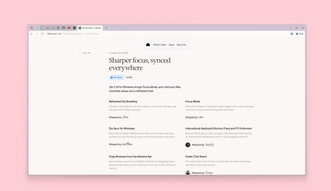
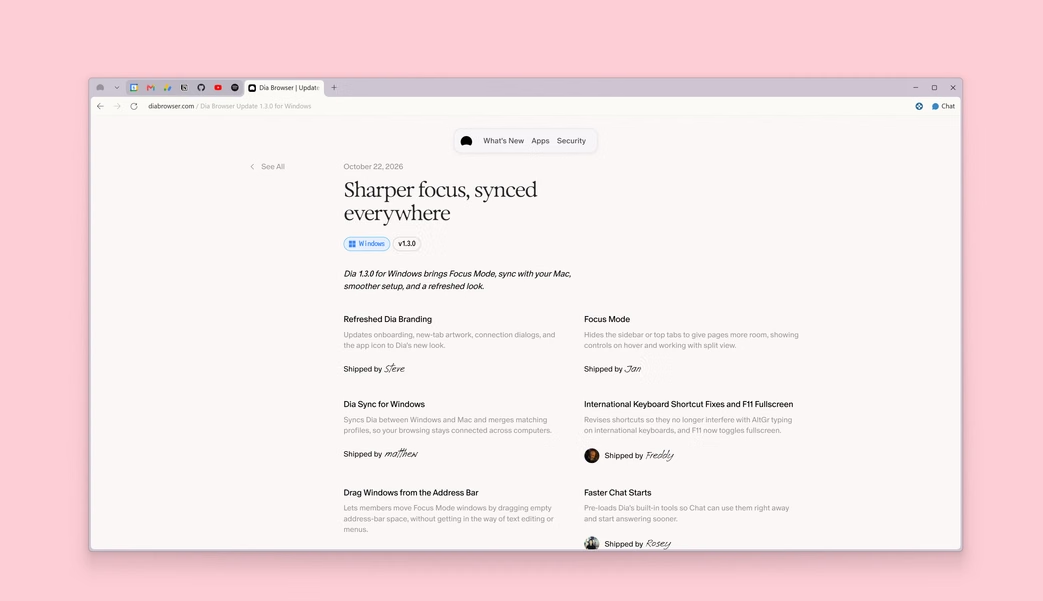
The Browser Company is transitioning away from Arc to develop a new Chromium-based browser named Dia Browser. While Arc earned a dedicated audience for its vertical spaces and experimental interface, its steep learning curve kept it from reaching mainstream adoption. Dia strips back that visual complexity and focuses on native, tab-level AI assistance.
Below is an overview of how Dia handles everyday browsing, what the transition means for Arc users, and how it compares to the best web browsers for Windows and macOS.
Dia Browser at a Glance
- Base Engine: Chromium (full Chrome Web Store extension compatibility).
- Supported Platforms: macOS (initial rollout) and Windows 11 / 10.
- Arc Support Timeline: Arc desktop will receive bug fixes and security patches until late 2026.
- Availability: Phased early access through diabrowser.com.
Why The Browser Company Built Dia
Arc built a loyal following among designers and power users, but its vertical tabs, nested spaces, and non-standard layout proved confusing for general users who simply wanted a fast browser that worked right out of the box.
At the same time, browser expectations shifted toward automated summaries and multi-tab workflows. Adding deep AI functionality on top of Arc’s older codebase proved difficult, prompting The Browser Company to rebuild from scratch on a clean Chromium foundation.
What Happens to Arc Browser?
The Browser Company is gradually retiring Arc to put all engineering focus into Dia. Desktop support for Arc continues with maintenance and security updates through late 2026. Dia includes a built-in migration tool that imports your bookmarks, logins, extensions, and pinned workspaces directly from Arc and Google Chrome.
Key Features of Dia
Dia integrates AI assistance into daily tab management without relying on external sidebar plugins:
1. Multi-Tab Synthesis: “Chat with Your Tabs”
When researching products or compiling information across several sources, cross-referencing usually requires clicking through open pages repeatedly. Dia lets you query active tabs simultaneously in plain English:
- Compare hardware specifications across three open store listings side by side.
- Extract action items from an open document while watching a video presentation.
- Synthesize contrasting arguments from multiple news sources into a single summary.
2. The Natural Language Omnibox
The address bar handles direct commands alongside standard URLs. Typing queries like “Summarize last week’s notes in Notion” or “Draft an email to confirm Friday’s meeting” pulls context directly from open tabs and drafts a response without manual copy-pasting.
3. The Morning Brief
Instead of opening separate tabs for email, calendars, and project trackers every morning, Dia’s built-in Morning Brief pulls your daily schedule, unread notifications, and primary pins into a unified overview before you begin work.
4. Workflow Skills and Shortcuts
Dia supports reusable prompt actions called Skills. Similar to keyboard macros, Skills trigger multi-step tasks with one click:
- Data Extractor: Pulls unstructured web tables into clean Markdown or CSV spreadsheets.
- Tone Matcher: Drafts replies and updates that fit your natural writing style.
- Quick Explainer: Condenses technical documentation into bulleted key points.
5. Refined Ergonomics
Dia retains the strongest layout choices from Arc—vertical tabs, split-screen viewing, clean fullscreen browsing, and dedicated Work and Personal profiles—while eliminating confusing nested spaces. Tabs remain neatly aligned on the side, giving full screen area to webpage content.
Dia vs. Arc, Chrome, and Edge
Here is how Dia compares to Arc and leading mainstream browsers:
| Feature / Aspect | Dia Browser | Arc Browser | Google Chrome | Microsoft Edge |
|---|---|---|---|---|
| Underlying Engine | Chromium | Chromium | Chromium (Blink) | Chromium (Blink) |
| Primary Target | General users and knowledge workers | Designers and power users | General web audience | Windows integration and enterprise |
| AI Integration Depth | Native multi-tab reasoning | Experimental add-ons (Arc Max) | Gemini sidebar and Omnibox hints | Copilot sidebar and page summary |
| Tab Organization | Clean vertical tabs and Profiles | Vertical sidebar, nested spaces | Horizontal tabs with tab groups | Horizontal and vertical tabs |
| Workflow Automation | Skills and Morning Briefs | Boosts and Easels | Extensions only | Copilot actions and Edge tools |
| Development Status | Active core focus | Maintenance mode (sunset late 2026) | Mainstream standard | Continuously updated |
Privacy and Enterprise Controls
Because AI browsers parse webpage contents and user prompts, data privacy requires strict boundaries. Dia implements several enterprise safeguards:
- Zero Data Retention (ZDR): Model partner agreements guarantee that queries and browsing contents are never retained on remote servers or used to train public machine learning models.
- Encrypted Local Storage: Browsing history, saved credentials, and profile tokens are encrypted locally on the host device.
- Domain Exclusions: Users and administrators can disable AI analysis on sensitive domains such as banking portals, internal company networks, and healthcare portals.
- Enterprise Identity: Integrates with Google Workspace, Okta, and Microsoft Entra ID via SAML SSO and MDM fleet policies.
How to Get Dia Browser
Dia is rolling out in stages across macOS and Windows:
- Visit diabrowser.com to request early access or download the installer build.
- Run the setup wizard. Because Dia is built on Chromium, Chrome Web Store extensions install and sync normally.
- Use the built-in Migration Wizard to import bookmarks, passwords, and open tabs from Arc, Chrome, Brave, or Firefox.
- Set up Work and Personal profiles to separate your tabs, history, and AI contexts.
Frequently Asked Questions
Is Dia Browser free?
Yes, Dia offers a free tier for everyday browsing and core tab management. High-volume AI queries and enterprise team management features will likely follow a subscription model as the rollout expands.
Will my Chrome extensions work on Dia?
Yes. Dia is built on the Chromium engine, which means full support for the Chrome Web Store out of the box, including ad blockers, password managers, and developer extensions.
What happens to my Arc folders, spaces, and Boosts?
Dia includes a 1-click migration wizard that imports your bookmarks, tabs, and spaces (converted into Profiles). However, custom visual Boosts (CSS tweaks and site scripts) do not transfer over, as Dia focuses on a standardized interface.
Does Dia share my browsing data with AI companies?
No. Under Dia’s Zero Data Retention (ZDR) policy, queries sent to LLM providers are processed ephemerally without being logged, stored, or used for model training. Sensitive websites can also be excluded entirely.
Is Dia Worth Switching To?
Dia marks a pragmatic shift for The Browser Company. While power users may miss Arc’s heavy customization options, Dia offers a faster, more accessible experience for everyday work. If Arc felt too complicated, or you want a browser with responsive, native AI summaries that does not rely on third-party extensions, Dia is well worth evaluating as its public release rolls out.