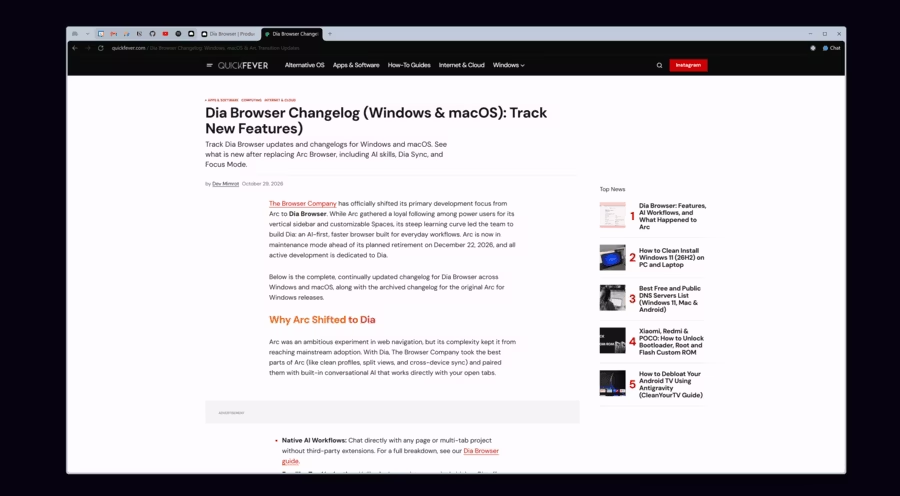
The Browser Company has officially shifted its primary development focus from Arc to Dia Browser. While Arc gathered a loyal following among power users for its vertical sidebar and customizable Spaces, its steep learning curve led the team to build Dia: an AI-first, faster browser built for everyday workflows. Arc is now in maintenance mode ahead of its planned retirement on December 22, 2026, and all active development is dedicated to Dia.
Below is the complete, continually updated changelog for Dia Browser across Windows and macOS, along with the archived changelog for the original Arc for Windows releases.
Why Arc Shifted to Dia
Arc was an ambitious experiment in web navigation, but its complexity kept it from reaching mainstream adoption. With Dia, The Browser Company took the best parts of Arc (like clean profiles, split views, and cross-device sync) and paired them with built-in conversational AI that works directly with your open tabs.
- Native AI Workflows: Chat directly with any page or multi-tab project without third-party extensions. For a full breakdown, see our Dia Browser guide.
- Familiar Top Navigation: Unlike Arc’s mandatory vertical sidebar, Dia offers a more accessible top layout with an optional Focus Mode that hides all clutter when you want full-screen reading.
- Arc Maintenance Mode: Arc continues to receive stability and security patches until late 2026, but new features are reserved exclusively for Dia.
Dia for Windows Changelog
Dia Browser Changelog (Windows & macOS): Track New Features
- Flexible Layout: Choose classic top tabs or an Arc-style vertical sidebar. On Windows, Focus Mode hides everything when you want full-screen reading.
Dia for Windows Changelog
- v1.4.0 (October 29, 2026)
- Window Polish: Startup progress shows in the taskbar, and Dia remembers window size and position. You can drag the window by its docked sidebar or double-click the sidebar to maximize.
- Sidebar Upgrades: Hover previews for sidebar tabs, faster scrolling and Space switching, smoother Focus Mode animation, and refreshed pinned tabs.
- Chat Improvements: Queue, reorder, edit, and steer messages mid-response. Also a simpler loading indicator and fixes for stuck replies and extension-related crashes.
- Google Chat Integration: Now out of beta.
- Share Generated Work: Copy Chat output as an image or save it as a PDF.
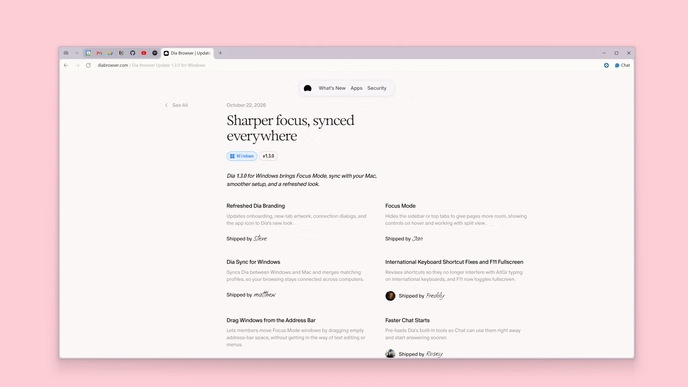
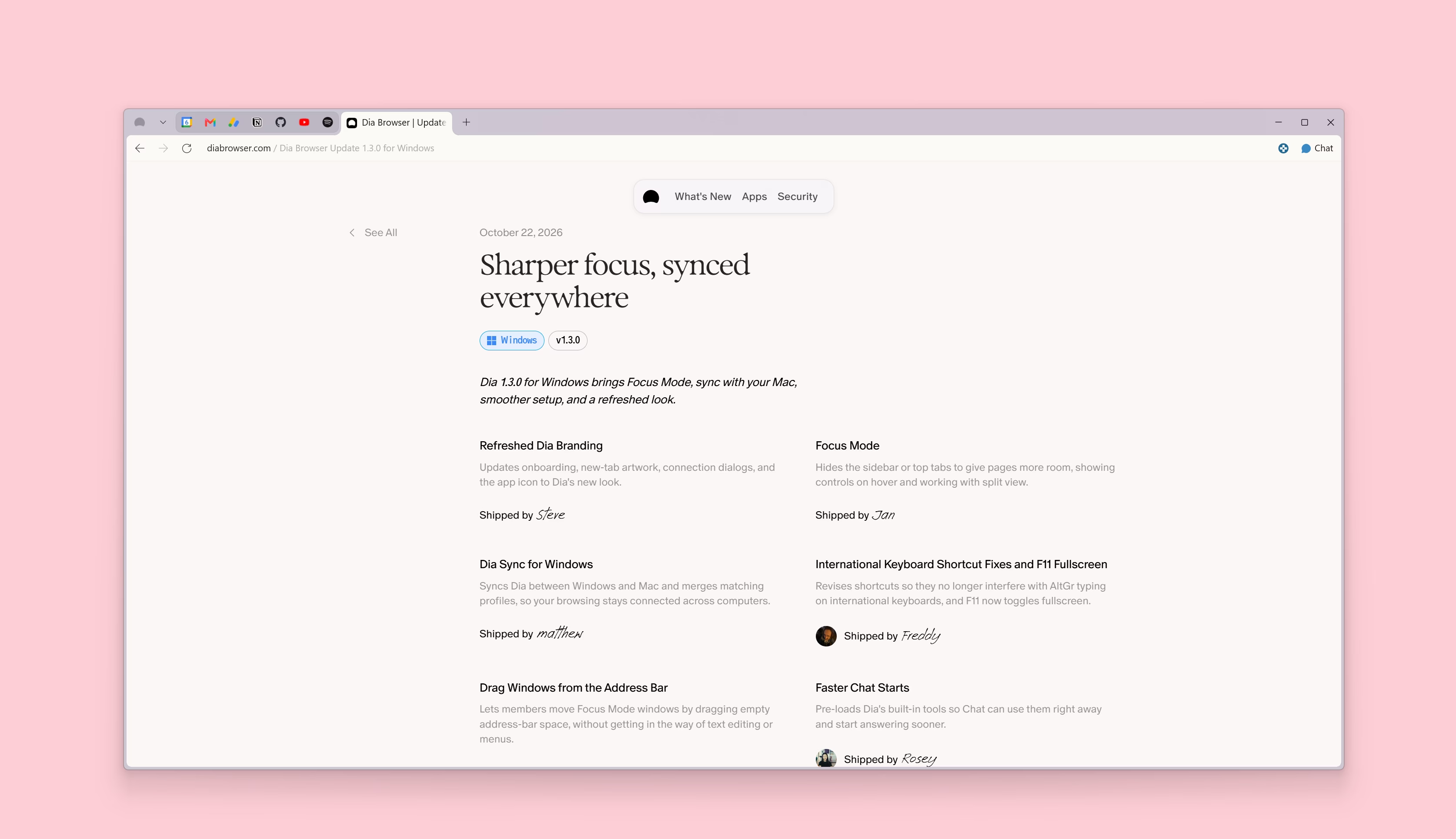
- v1.3.0 (October 22, 2026)
- Focus Mode: Hides the sidebar or top tabs to give pages more room. Controls reappear on hover, and it works with split view.
- Dia Sync: Syncs Dia between Windows and Mac and merges matching profiles.
- Refreshed Branding: New onboarding, new-tab artwork, connection dialogs, and app icon.
- Keyboard Fixes: Shortcuts no longer interfere with AltGr typing on international layouts, and F11 toggles fullscreen.
- Arc-Style Tab Order: Optional setting to open new sidebar tabs at the top.
- Speed and Engine: Faster Chat starts and an upgrade to Chromium M156.
- v1.2.0 (October 15, 2026)
- Skills on Windows: Includes custom skills you create yourself, matching macOS.
- Streamlined Atlassian Connections: Simpler setup for Jira and Confluence.
- Better Arc Import: GitHub Live Folders become Dia Live Groups, and importing switches Dia to sidebar tabs.
- Tab Tools: A “Back to Pinned” button returns pinned tabs to their original URL. Ctrl+Enter switches to an already-open tab from the command bar.
- Polish: Profile swiping, collapsible GitHub PR stacks, higher-contrast pinned tabs and groups, and sidebar typography matched to macOS.
- v1.1.0 (October 6, 2026)
- Arc-Style Pinned Tabs: Pin tabs outside Favorites or tab groups.
- Performance: Faster tab switching and closing, and Chat answers start streaming sooner.
- v1.0 (October 1, 2026)
- Initial public release of Dia for Windows.
Dia for macOS Changelog
- v1.55.0 (October 29, 2026)
- Auto-Connect Apps: An opt-in setting connects supported apps you’re already signed into.
- New Integrations: Google Chat is out of beta. Ashby and Dropbox are now in beta.
- Safer Pinned Groups: Closing a pinned-group tab now unloads it instead of deleting it.
- Steadier Chat: Fixes stuck responses and adds a simpler loading indicator.
- v1.54.0 (October 22, 2026)
- Faster Chat Starts: Pre-loads built-in tools so Chat answers sooner.
- Favorites Shortcut: Press
Cmd + Shift + Dto pin the current tab to Favorites. - Dialog Shortcuts: Keyboard shortcuts now work in external app dialogs.
- Engine Upgrade: Chromium M156, including Chrome’s Perplexity search integration.
- v1.53.0 (October 15, 2026)
- Better Arc Import: GitHub Live Folders carry over as Dia Live Groups.
- Quicker Answers: Faster replies about the current page or @-mentioned tabs, and direct answers for simple questions.
- Headphone Fix: Chat and Morning Brief chimes no longer take over your headphones.
- Smoother Transitions: Cleaner sidebar and split view animations.
- v1.52.0 (October 8, 2026)
- Arc-Style Pinned Tabs: Pin tabs outside Favorites or Tab Groups.
- Active Tab Indicator: The active tab’s icon stays visible when it scrolls out of view.
- Simpler Atlassian Setup: Signing in with Atlassian connects Dia automatically.
- One-Click Tab Cleanup: A sidebar button closes all unpinned tabs.
- v1.51.0 (September 24, 2026)
- Queue and Steer Chat: Queue follow-up messages and steer Dia mid-response.
- Loom Tools: Search Loom videos, read transcripts, and see recent activity.
- HEIC Support: Paste iPhone photos straight into Chat.
- Also: Faster Notion page reading, a simpler 5-tab switcher, and Chromium M155.
Reset or Troubleshoot Dia
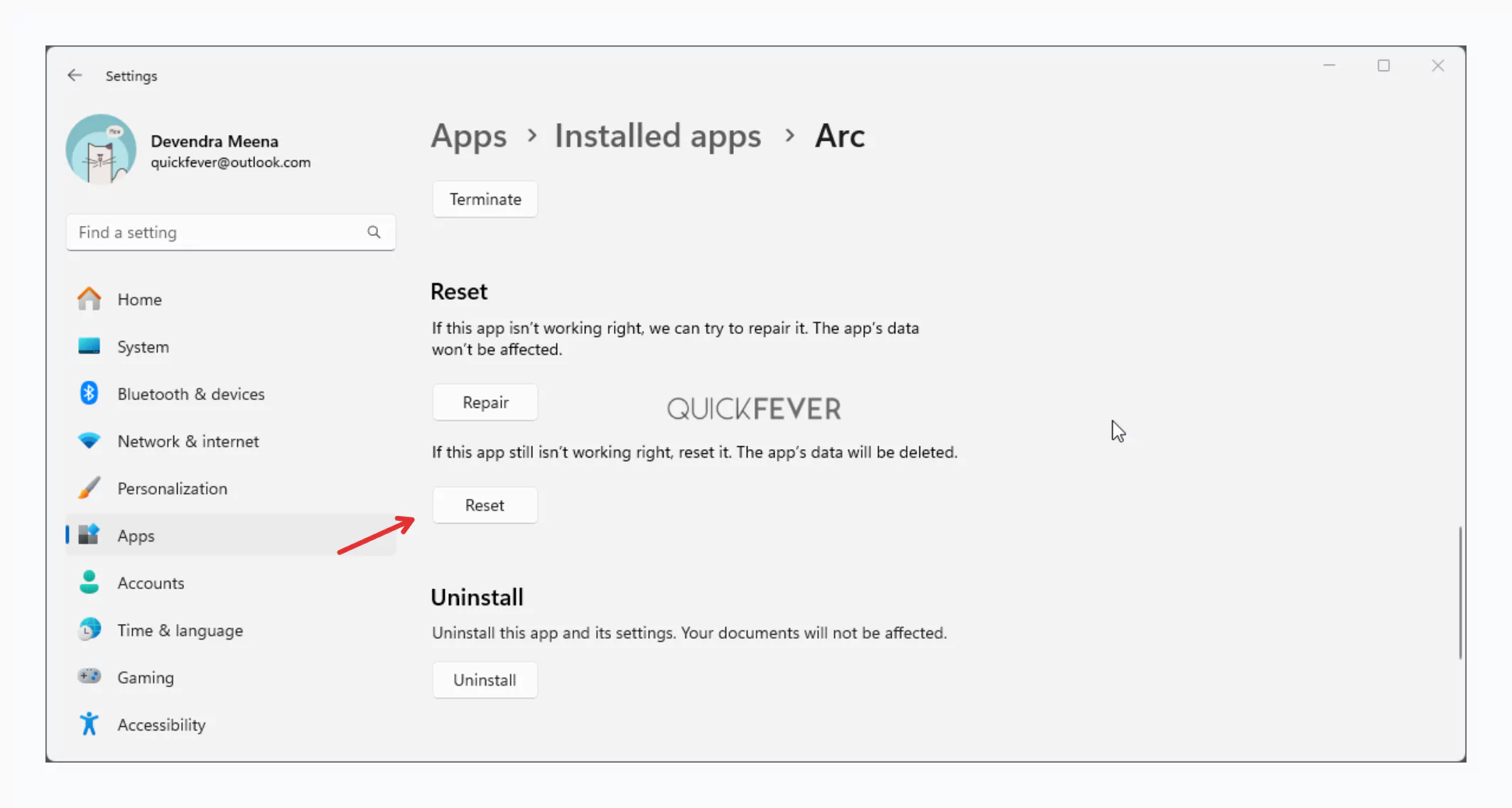
If Dia or legacy Arc encounters tab crashes, sync pauses, or unresponsive AI sidebars after an update, you can perform a clean application reset from Windows Settings:
- Open Windows Settings (press
Win + I) and go to Apps > Installed apps. - Locate Dia (or Arc), click the three-dots menu icon, and choose Advanced options.
- Scroll down and click Reset. This clears corrupt local cache files while preserving your synced account data once you log back in.
To compare how Dia stacks up against Chrome, Edge, and Brave, check out our roundup of the best web browsers for Windows. If you have questions about migrating your bookmarks or tabs from Arc to Dia, drop a comment below.
Last updated: October 29, 2026. Now covers Dia 1.4.0 for Windows and 1.55.0 for macOS. Release details come from The Browser Company’s official Dia changelog.