

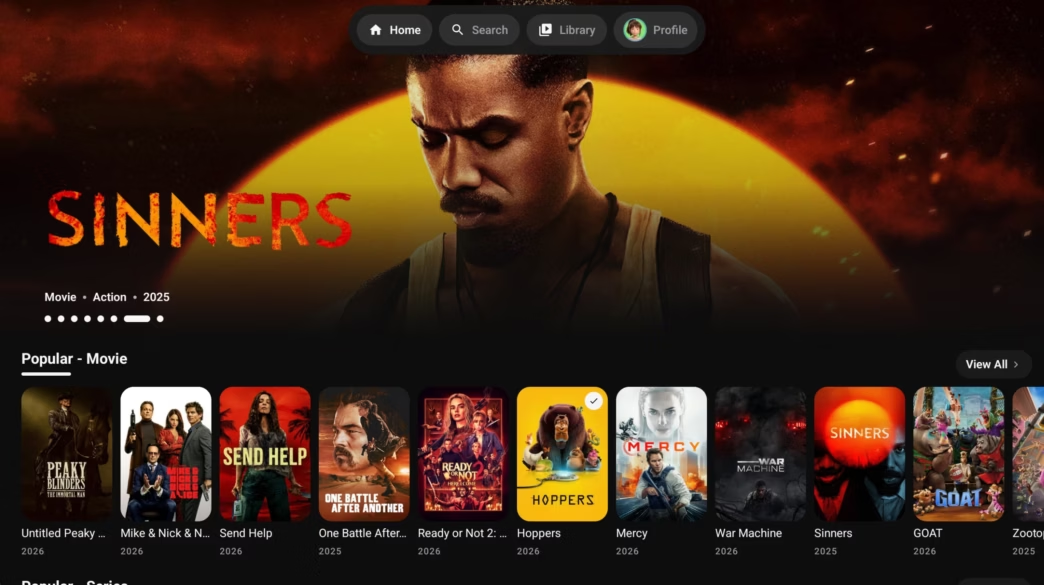
Most smart TVs and streaming sticks come loaded with sponsored recommendations, banner ads, and sluggish menus. Stremio gained popularity because it stripped away that clutter, letting viewers stream through community addons and debrid services. But Stremio was originally designed around a single user account, which causes friction when an entire household shares one living room television.
Three independent applications have emerged as alternative frontends for Android TV, Google TV, and Amazon Firestick: Nuvio, STRMR, and ARVIO. None of these apps host video files. Instead, they serve as clean, remote-friendly media players that connect to Stremio-compatible addon manifests, cloud debrid libraries, and personal home servers. Here is how they compare in daily use and which one fits your TV setup best.
Helpful companion guides: see our walkthrough on how to debloat your Android TV to remove factory background bloat, read our guide on using debrid services to stream large torrent files, and check our roundup of reliable VPN options.
1. Nuvio: Clean Profiles for Shared Living Rooms
Nuvio focuses on solving the biggest headache of living room streaming: mixed watch histories. If you share your TV with family or roommates, Nuvio lets you set up distinct, PIN-protected profiles with independent addon lists and home screen layouts.
| App Details | Specifications & Availability |
|---|---|
| Developer | NuvioMedia (open-source project) |
| Platforms | Android TV, Google TV, Fire TV, Android mobile, iOS (TestFlight) |
| Stremio Addon Support | Direct paste of addon manifest URLs (500+ addons compatible) |
| User Profiles | Multi-user profiles with optional PIN lock and per-profile addons |
| Tracking Sync | Trakt.tv and SIMKL watch history integration |
| Official Links | Official Website | Google Play | GitHub Releases |
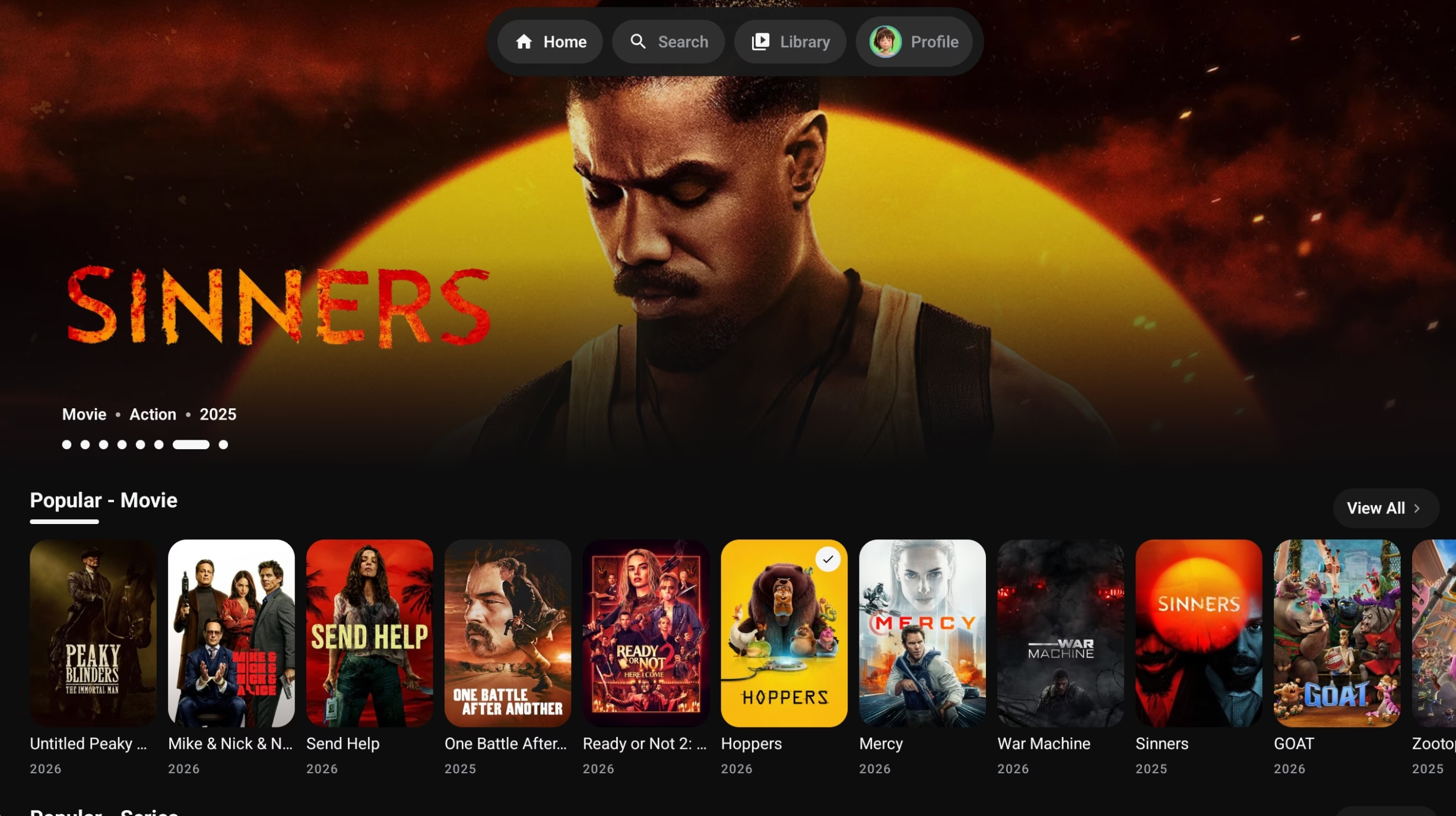
Nuvio ships with default metadata providers like Cinemeta and OpenSubtitles. To expand your library, copy any Stremio community addon manifest link from your phone or PC and paste it into Nuvio’s addon manager. Addons like Torrentio, MediaFusion, or AnimeCatalogs configure in seconds.
The profile system is where Nuvio stands out. You can give each profile its own enabled plugins. A kids profile can run strictly curated animation catalogs, while your main profile holds your debrid scraper addons. Switching profiles takes two clicks with the D-pad remote.
Installation Tip: For Android TV and Firestick, open the Downloader app, enter Nuvio’s toolbox code or visit the official GitHub releases page, and grab the dedicated TV APK. The TV build features large poster cards and horizontal category carousels designed for couch browsing.
2. STRMR: The Debrid-Focused Media Tracker
STRMR is built for viewers who rely on paid debrid services (Real-Debrid, Premiumize, or AllDebrid) and want a fast, poster-driven catalog to browse their cloud files alongside Trakt watchlists.
| App Details | Specifications & Availability |
|---|---|
| Developer | strmrdev |
| Platforms | Android TV, Google TV, Firestick (sideload), Android mobile |
| Debrid Support | Native integration for Real-Debrid, Premiumize, and AllDebrid |
| Addon Compatibility | Stremio scraping addons supported via manifest URLs |
| Home Screen Control | Drag-and-drop row reordering, custom filters, and hiding rows |
| Account Requirement | Google account sign-in required for sync |
| Official Links | Official Website | Google Play | GitHub Releases |
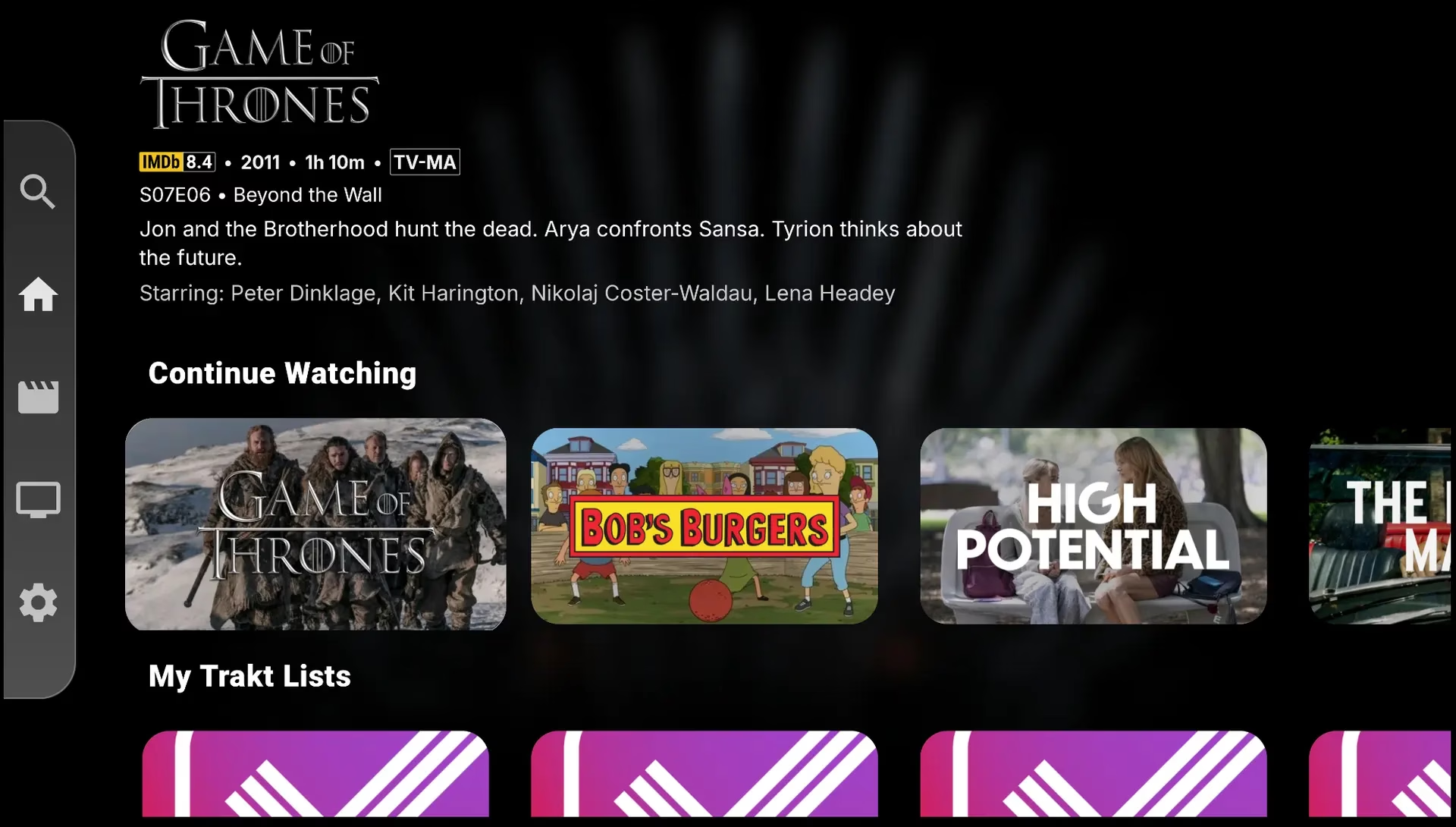
Unlike raw video scrapers, STRMR functions as an indexing layer. When you connect your debrid account, STRMR surfaces your downloaded cloud torrents, active downloads, and cached files directly in a clean TV interface. Paired with Trakt.tv, it automatically marks episodes as watched and syncs progress across mobile and TV screens.
Home screen customization is flexible. You can reorder rows so your personal debrid library sits above trending movie lists, or hide categories you rarely touch. For playback, STRMR includes quality and bitrate filters, letting you set maximum resolution thresholds so streams do not buffer on slower home broadband connections.
Note on Google Sign-In: STRMR requires signing in with a Google account to synchronize your watchlists and layout. If you prefer to keep your personal Google account separate from third-party streaming tools, create a secondary Google account before setting up the app.
3. ARVIO: The Open-Source Powerhouse (Plex, Jellyfin, IPTV & Stremio)
ARVIO is the most capable tool in this group for users who run local home servers or watch live television. Built entirely under the open-source GPL-3.0 license, ARVIO combines self-hosted libraries, IPTV playlists, and Stremio community addons into one unified frontend.
| App Details | Specifications & Availability |
|---|---|
| Developer | ProdigyV21 (GPL-3.0 open source, ad-free, no telemetry) |
| Platforms | Android TV, Google TV, Fire TV, Android mobile, web client |
| Media Servers | Native client integration for Jellyfin, Plex, and Emby |
| Live TV & IPTV | M3U playlists, Xtream Codes, EPG guide support, live mini-player |
| Stremio Addons | Full community addon support via manifest URLs |
| Audio & Video | ExoPlayer with Dolby Vision and Dolby Atmos passthrough |
| Official Links | Official Website | Google Play | GitHub Repository |
If you run a home media server, ARVIO removes the need to switch between the Plex app, the Jellyfin app, and an IPTV player. Connect your server credentials, add your M3U playlist, and configure your Stremio addons. Everything appears together on a single home screen.
The IPTV implementation includes full electronic program guide (EPG) support and a picture-in-picture mini-player. You can keep a live sports channel playing in the corner while browsing on-demand movies. Video playback runs through ExoPlayer, which supports high-bitrate 4K HDR, Dolby Vision, and audio passthrough on hardware like the NVIDIA Shield TV and Chromecast with Google TV.
ARVIO Cloud sync uses a fast QR code scan from your smartphone to transfer your server links, IPTV configurations, and addon lists to a new TV in seconds, avoiding tedious remote control typing.
4. Feature Comparison: Nuvio vs STRMR vs ARVIO
Here is how the three applications compare across key features:
| Feature | Nuvio | STRMR | ARVIO |
|---|---|---|---|
| Price & License | Free (GitHub) | Free (GitHub / Play Store) | Free & Open Source (GPL-3.0) |
| Android TV / Fire TV | Yes (dedicated TV UI) | Yes (dedicated TV UI) | Yes (dedicated TV UI) |
| Stremio Addon Support | Yes (manifest URLs) | Yes (manifest URLs) | Yes (manifest URLs) |
| User Profiles | Yes (PIN-protected) | No (single account) | Yes (multi-profile sync) |
| Debrid Support | Via compatible addons | Native integration | Via addons & web sources |
| Plex / Jellyfin / Emby | No | No | Yes (all three native) |
| Live TV / IPTV | Via addons | No | Yes (M3U & Xtream with EPG) |
| Dolby Vision & Atmos | Player-dependent | Player-dependent | Yes (ExoPlayer passthrough) |
| Account Requirement | Optional Nuvio sync | Mandatory Google login | ARVIO Cloud QR sync |
| Best For | Shared family TVs | Debrid cloud users | Self-hosters & IPTV watchers |
5. Which App Fits Your Setup?
Your choice depends on how your media collection is structured:
- Choose Nuvio if you share a television with family members or kids. The PIN-protected profile system keeps watchlists, recommendations, and addon lists completely separated without logging in and out of different accounts.
- Choose STRMR if you already subscribe to Real-Debrid, Premiumize, or AllDebrid and want a modern interface to organize your cloud files and Trakt watch history with manual bitrate selection.
- Choose ARVIO if you manage a local Jellyfin or Plex library, watch live sports through M3U playlists, and want one open-source app to handle both local servers and Stremio community streams.
6. Practical Tips for Streaming on Android TV
To get reliable playback and protect your setup on Android TV or Firestick, keep these recommendations in mind:
- Always pair with a debrid account. Services like Real-Debrid or TorBox fetch streams through high-speed cloud servers rather than direct peer-to-peer torrent connections, eliminating ISP throttling and buffering on high-bitrate 4K files.
- Protect your network with a VPN. If you stream through community addons that route outside debrid services, your IP address is exposed to third parties. A solid VPN keeps your browsing private.
- Debloat your Android TV device. Factory streaming sticks often choke because background manufacturer telemetry consumes limited RAM. Removing sponsored bloatware keeps media playback responsive.
- Download directly from official GitHub repositories. Avoid third-party APK repack sites that bundle advertising or outdated binaries. Stick to official project GitHub pages and verified Google Play releases.
- Connect Trakt.tv on day one. Linking Trakt preserves your watched status and episode progress across all three apps, making it effortless to switch between Nuvio, STRMR, and ARVIO whenever you choose.




Good Android TV streaming roundup. Between Stremio and simpler one-app players, which do your readers stick with longer? I help run it.