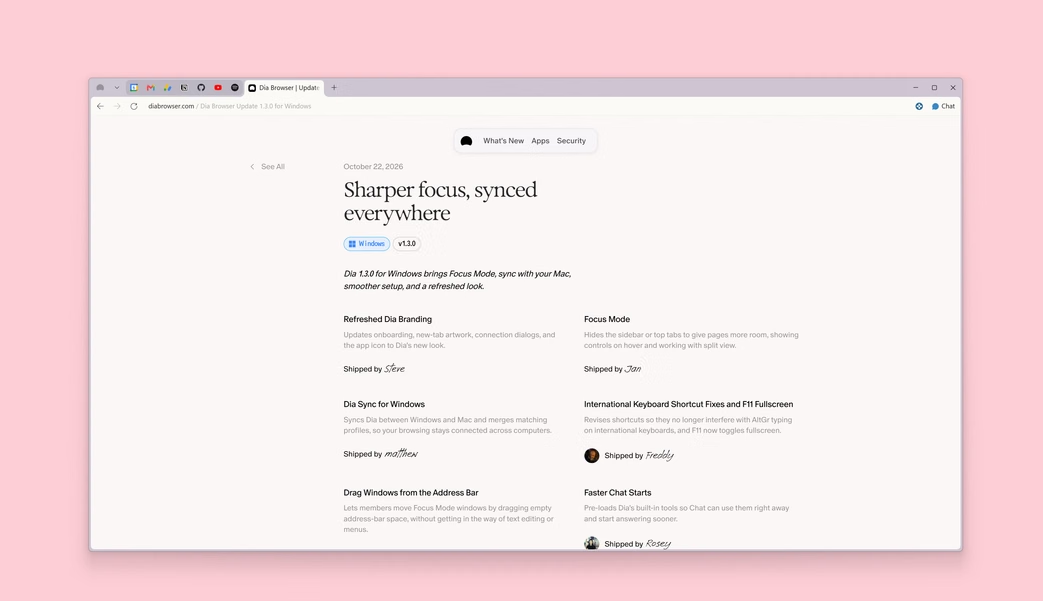
In an unexpected pivot, The Browser Company (the team behind the beloved yet niche Arc browser) announced their next project: Dia Browser. While Arc won over designers and power users with its vertical sidebar and custom tweaks, Dia takes a simpler approach built around everyday browsing and practical AI assistance.
Instead of tacking on a generic chatbot in a side panel, Dia integrates AI directly into tabs, the address bar, and daily workflows. Here is a look at what Dia Browser actually does, what it means for Arc users, and whether it deserves a spot among the best web browsers for Windows and macOS.
Why The Browser Company Built Dia
To understand Dia, you have to look at what happened with Arc. While power users loved Arc’s vertical tabs, spaces, and custom mini-apps, the learning curve proved too steep for regular internet users. Most people wanted a fast browser that works out of the box without needing to relearn how to navigate the web.
At the same time, AI changed how people look up information. Instead of endlessly managing bookmarks and open tabs, browsers can now summarize content and handle repetitive web tasks directly. Rather than piling heavy AI features on top of Arc’s aging codebase, The Browser Company decided to build Dia from scratch on a clean foundation.
What Happens to Arc Browser?
The Browser Company is gradually retiring Arc to put all engineering focus into Dia. Desktop support for Arc is planned to wind down by late 2026. To make switching easy, Dia includes a 1-click migration tool that imports your bookmarks, logins, extensions, and pinned workspaces directly from Arc and Google Chrome.
Key Features of Dia
Dia builds several smart features directly into tab management and daily work:
1. Multi-Tab Synthesis: “Chat with Your Tabs”
Tab overload is a headache when researching online. Comparing product specs or reading multiple articles usually means clicking back and forth dozens of times. Dia lets you query all active tabs at once:
- Compare technical specifications across three open shopping pages.
- Pull quick notes from a video while checking an open project brief.
- Summarize differing arguments across multiple news articles into a quick list.
2. The Natural Language Omnibox
The address bar in Dia handles direct plain-language commands in addition to regular web addresses. For example, typing “Summarize last week’s notes in Notion” or “Draft an email to confirm Friday’s meeting” can pull the right context and draft a response without manually hunting through tabs.
3. The Morning Brief
Opening work in the morning usually means loading five different tabs: Gmail, Calendar, Slack, and task boards. Dia has a built-in Morning Brief that pulls your day’s schedule, urgent messages, and key bookmarks into one spot before you get started.
4. “Skills” and Workflow Shortcuts
Dia allows users to run reusable prompt routines called Skills. Similar to quick keyboard shortcuts, Skills execute multi-step routines at the click of a button:
- Data Extractor: Pulls tables and unstructured web data into clean Markdown or CSV formats.
- Tone Matcher: Helps draft replies and social posts that match your usual writing style.
- Quick Explainer: Condenses long-form articles into concise summaries with key takeaways.
5. Refined Ergonomics
Dia keeps the best parts of Arc (vertical tabs, clean fullscreen mode, split-screen viewing, and separate profiles for Work and Personal) while cutting out the confusing interface layers. Your tabs stay organized on the side, leaving full focus on the page.
Dia vs. Arc, Chrome, and Edge
Here is how Dia stacks up against existing market leaders and its predecessor:
| Feature / Aspect | Dia Browser | Arc Browser | Google Chrome | Microsoft Edge |
|---|---|---|---|---|
| Underlying Engine | Chromium | Chromium | Chromium (Blink) | Chromium (Blink) |
| Primary Target | Knowledge workers and general users | Designers and power users | Mass market and enterprise | Windows integration and enterprise |
| AI Integration Depth | Native multi-tab intelligence | Experimental add-ons (Arc Max) | Gemini sidebar and Omnibox hints | Copilot sidebar and page summary |
| Tab Organization | Refined vertical tabs and Profiles | Vertical sidebar, nested spaces | Horizontal tabs (tab groups) | Horizontal and vertical tabs |
| Workflow Automation | Custom Skills and Morning Briefs | Boosts and Easels | Extensions only | Copilot actions and Edge tools |
| Future Roadmap | Active core focus and rapid updates | Sunsetting by late 2026 | Mainstream standard | Continuously updated |
Privacy and Enterprise Controls
Because an AI browser processes webpage text, documents, and user prompts, data privacy is a central concern. The Browser Company designed Dia with strict security boundaries:
- Zero Data Retention (ZDR): When processing queries through partner frontier models, Dia operates under strict agreements ensuring your prompts and browsing data are not stored on external servers or used to train public AI models.
- Encrypted Local Storage: Browsing history, cached tokens, and profile data remain encrypted locally on your machine.
- Granular Website Exclusions: Users and administrators can disable AI features entirely on specific sensitive domains (such as corporate intranets, banking portals, or confidential client dashboards).
- SOC 2 Type II and SAML SSO: Supports enterprise identity providers including Google Workspace, Okta, and Microsoft Entra ID alongside standard Mobile Device Management (MDM) fleet policies.
How to Get Dia Browser
Dia is rolling out progressively on macOS and Windows. Here is how to get started:
- Visit the official portal at diabrowser.com to request early access or download the latest release build.
- Run the installer and complete initial setup. Because Dia is Chromium-based, your existing Chrome Web Store extensions will work out of the box.
- Launch the built-in Migration Wizard to automatically transfer your passwords, bookmarks, browsing history, and open tabs from Arc, Chrome, Brave, or Firefox.
- Configure your Profiles (such as Work and Personal) to separate your tabs, logins, and AI contexts cleanly.
Is Dia Worth Switching To?
Dia is a practical shift for The Browser Company. While power users will certainly miss Arc’s wild customizations and nested spaces, Dia feels much more realistic for everyday work. If you found Arc too complicated or simply want a browser that helps summarize research and streamline tab clutter without extra plugins, Dia is well worth keeping an eye on as its public rollout expands.