Is your Android home screen is boring? Do you feel like it’s dull and there is something needs to be done? You got help, make your phone look wonderful and sleek with Android launchers. We bring you more than 10 best Android launchers apps for any android smartphone, so you always choose accordingly to your taste.
Got your phone rooted? Use these Magisk modules to add amazing features.
Click on the link.
Android is everywhere. You must be using it for a long time now. As it gets more customizable, we will keep consuming more out of it. Already using different android launchers out there? Neither I was going to explain launchers. All I can say is android launchers in general, make your smartphone more creative or stylish. Their main aim is not to make your phones look cool and all, but technically they optimize your phone to run more smoothly, be more reliable and easy to use. Even if you have had an experience with these, you still might not know about some of the fastest launchers out in the market. Making it a fair and easy process, I have shortlisted Android Launchers which will change your perspective about using a smartphone. Have sarcasm. ( cause’ ‘have fun’ is too main-stream)
All these launchers support older android version as well as a new one, they did a great job when tested on Oneplus 5T, which is running on Android PIE, thanks to this post. Android 9 named Pie is here and devices are getting the update. We’ve seen Lineage OS 16 and other ROMS for phones with unofficial update.
1. Nova Launcher
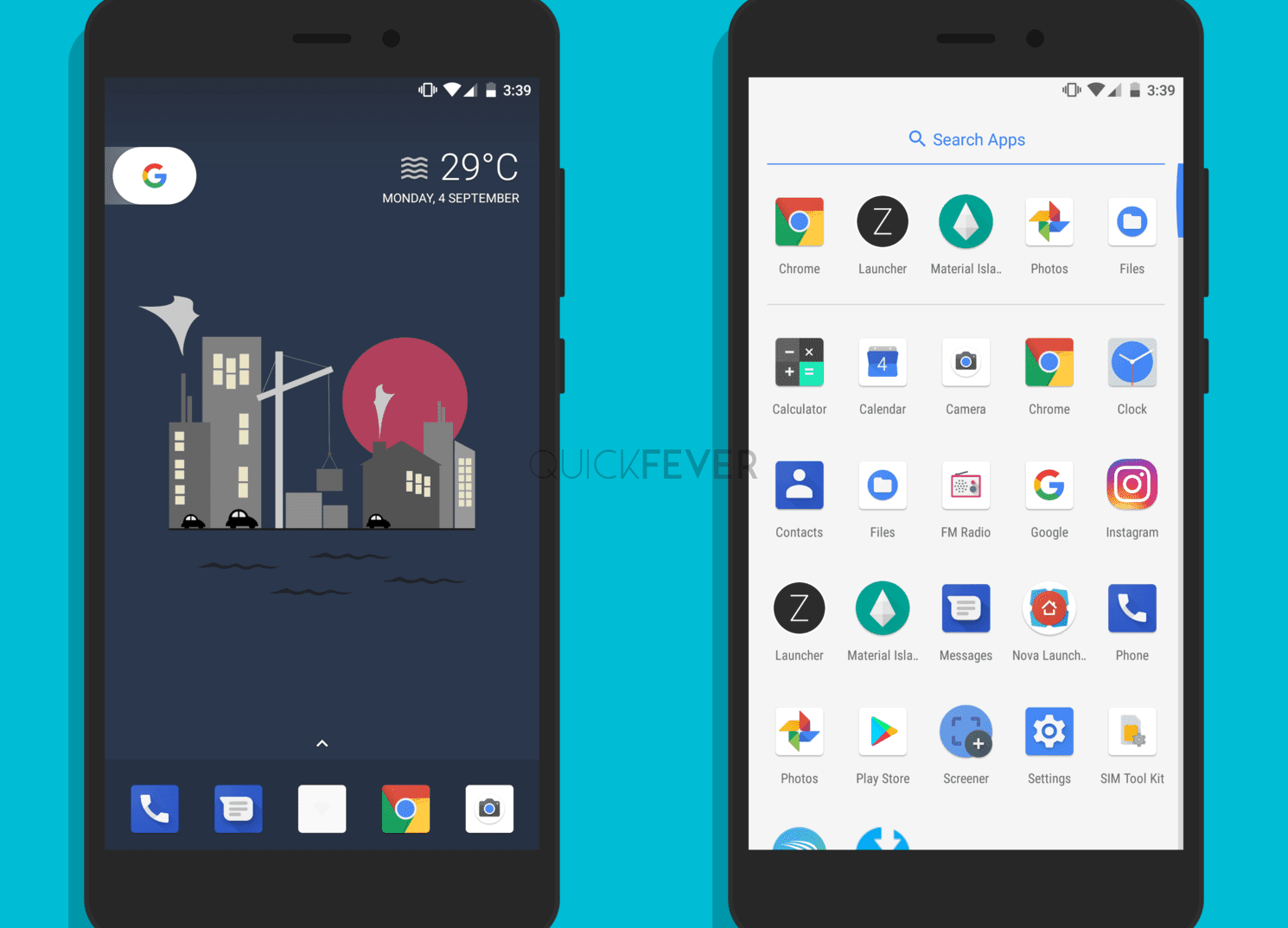
Hands down – Nova Launcher is the best Home Launcher App for Android smartphones. There is so much you can do with it, from changing every aspect of your Home Screen to amazing Gestures. Nova Launcher 8 is in beta and this is going to be a HUGE update. We’ve talked about it many times in our articles.
20 Best Nova Launcher Themes and Screen Setup
The 10 Best Android Themes in 2023
Nova Launcher is the best and most lightweight Android launcher and is highly customizable. It offers separate customize options for the Desktop screen, App drawer and Dock interface. It also supports Icon packs from the Play store and the ability to backup and restores theme settings. The latest version (v5+) also comes with a “Quick Setup” feature, and it’s actually a three-step process to get the look you want. Overall, probably the best Google now launcher alternative at this time.
Again, Nova Launcher is the best and most lightweight Android launcher and is highly customizable. It offers separate customize options for the Desktop screen, App drawer and Dock interface. It also supports Icon packs from the Play Store and the ability to backup and restores theme settings. The latest version (v5+) also comes with a “Quick Setup” mode, and it’s a three-step process to get the look you want.
The big question! Why should you use the Nova launcher?
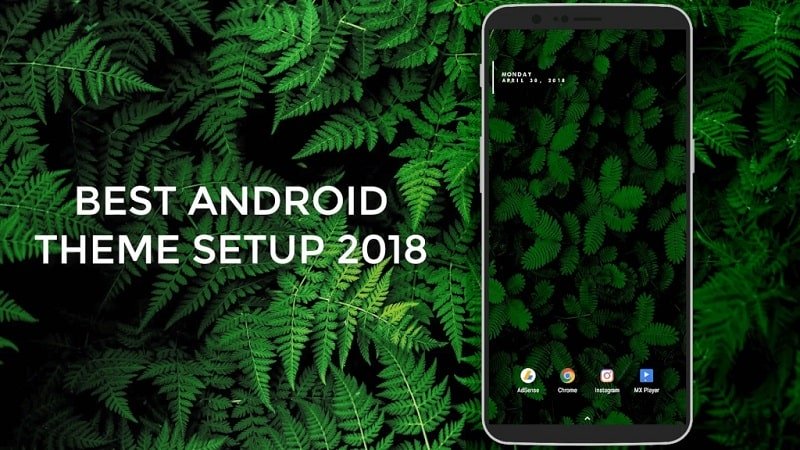
Let me put up a nova theme setup I made, the below screenshot is a theme created in 2018 for a YouTube channel. As you can see, the setup consists of just one widget and four icons on the home screen with beautiful leaves wallpaper. This is just one setup, I have covered more themes, don’t forget to check those themes.
Click on this link: Nova launcher themes
2. Evie Launcher
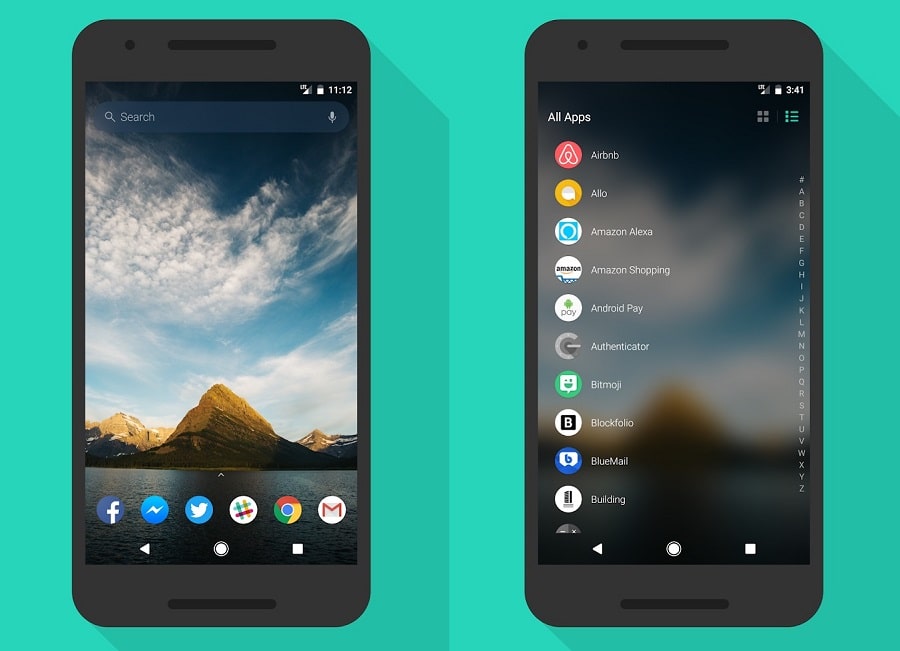
If you believed to dump the simplicity that comes with the Nova launchers, you would be happy with this gorgeous looking launcher (that is also lightweight regarding speed). While it falls short when it comes to customizing the launcher interface. The slide-and-search option comes handy to find things easier. Alos the swipe-up opens the App drawer where you can toggle apps layout between Icons and List. The home screen may not fascinate you because it has 4-5 ugly icons, which perhaps can be changed with some Icon packs from the play store.
Amazingly built Android Launcher that got the premium look that you may not find anywhere else. The home page looks fantastic with custom Google search bar at the top of the screen. The app lock screen is also unique elements as you can quickly toggle between list and typical box style app icons. You can use this search bar to look up for its application or search on Google. It also features that swipe to open App Drawer mode which is becoming the trend nowadays. People are dumping be the center button to display the app drawer in favor of swipe to open App Drawer style.
POCO launcher
One of the great looking launchers originated from Poco phone (A budget xiaomi flagship phone), you can think of it as MIUI launcher. The Official MIUI launcher was on Play store but was pulled off. Notification badges style can be changed for devices running on Android 8.0
The first thing it does great is putting apps in the app drawer (something which MIUI doesn’t follow) it makes the home screen clean and gives you space for more widgets. Second, you can resize app icons, change animations and use third-party icon packs. You can also hide specific apps from the app drawer making the process easier without installing app lock.
APUS Launcher
Conclusion
The default pixel launcher offers basic customization, you can achieve the same with Nova launcher along with tons of more customization settings. Now that you can’t change the app drawer white background, frankly again, it has no customizations options. There are more than one thousand (if you skip the crappy ones) launcher apps that you can get from google play store.
Pixel Launcher should be the best competitor to the Nova launcher, as it is derived from the New Google Pixel phone, Google made it possible to release it for people who do not have a Pixel Phone. For sure, it doesn’t provide as many as customization options like the Nova launcher, but a strong and stable interface does the job very well. Moreover, it’s a Google product so you can always expect new features while having the simpler Interface. In other words, despite once can barely customize it and it’s quite not flexible when it comes to adapt the look a user would want. If you think it’s not for you check other launcher.
Z launcher (Dead)
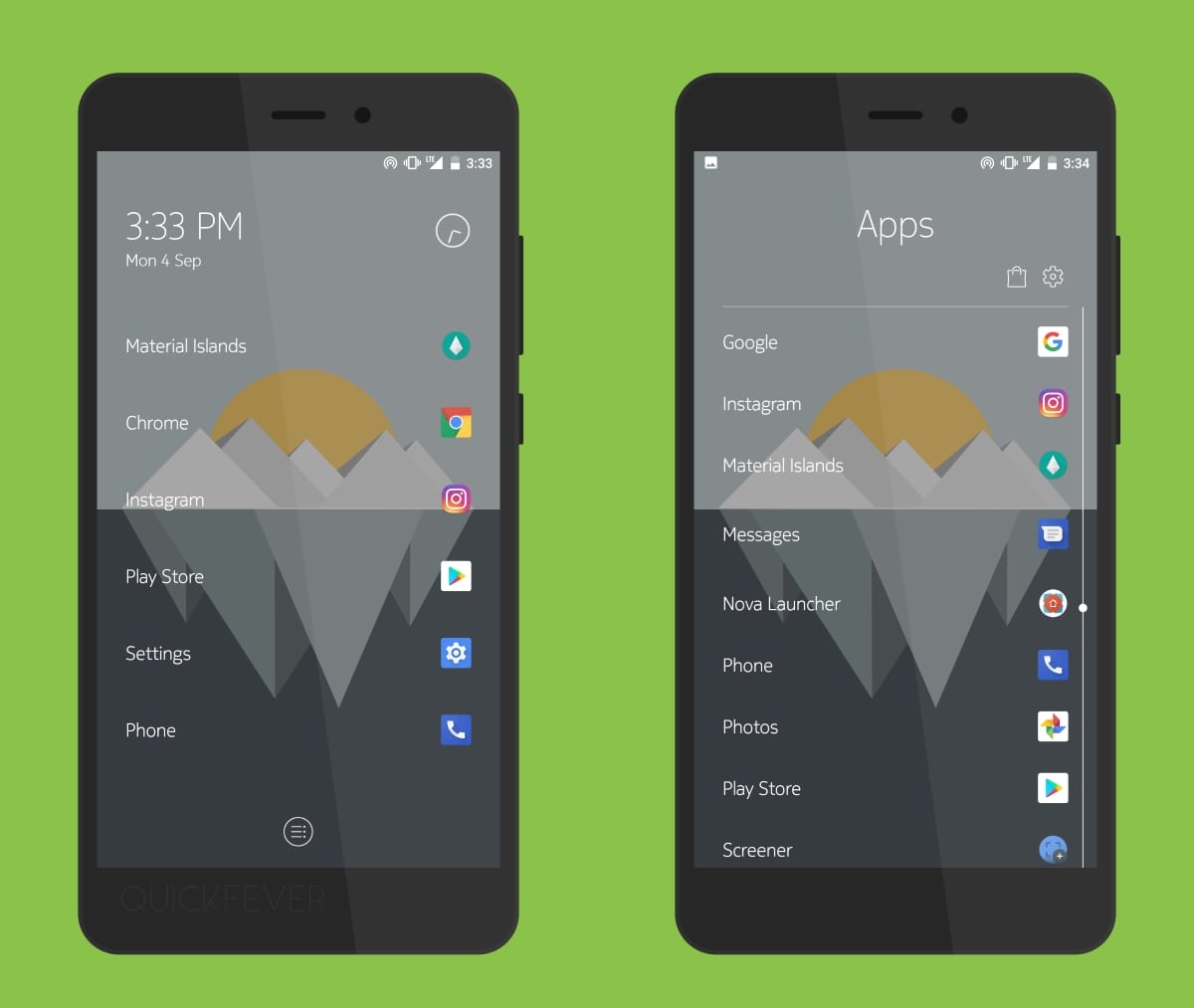
Z launcher is built by Nokia even before they started manufacturing Android Phones. In many ways it has the taste of Nokia, for example, the interface is almost clutter free and easy to use and navigate. This launcher may not for everyone but a launcher out of the way. Recent contacts are visible on your desktop screen. If you slide, you can add Widgets. Also, there be one button in the bottom to access the app drawer, other than that no dock icons are present.
The desktop screen will not have any more buttons, and you can press the only button that will open the app drawer. Apps will show list-wise, and you’ve to scroll up-down to navigate. Also on the home screen, you can search for apps by drawing characters gesture.
. Smart Launcher-: Actually smart. Some shortcuts of contacts, browsers, messages, album, and camera are arranged in a beautiful round manner. Its blue color theme makes it more attractive, icons of different apps are automatically arranged in separate-separate categories like games, social networking apps, etc. It actually consumes less RAM and keeps smartphone clean and fast.It gives you a unique experience to use android. Any task can be done by your one click!
C Launcher-: C launcher is the launcher mainly covers security. Its has a unique- a security lock. Which hides any app just by a pinch on phone’s screen with 2 fingers. It will ask for a password. It contains more gestures and different-different gestures can be set for different-different tasks.
3.Launcher 8-: A weird but true launcher. It actually provides a Windows 8 look to your smartphone. Having more than a Million downloads and fairly good ranking, It proves to be both creative and popular. Just make sure your smartphone’s Android is above 4.0. Other than this, app is fairly simple
4.MiHOME Launcher-: Well, MiHOME launcher gives your smartphone an attractive look of MI phones. It gives the facility to modify app drawers which can be used effectively to take your smartphone to another level. Different theme selection and gestures are also available too, to perform individual tasks.
5.IOS 7-: After Mi phones, next is iOS. iOS 7 launcher gives your smartphone the uniqueness of apple. It changes your app’s icon and makes it appear as apple’s icon. For example, your web browser icons will be like safari (web browser of apple). It also gives an upward slight feature in which apps shortcuts may appear and can be used.
6.Go Launcher: Go Launcher is free and a creative launcher especially its icons. Round shaped as Nougat(Android). It makes the view of Android attractive and more magnetic. One of some features in updated version is that we can change font according to our need. In-built cool gestures make your Phone way more friendly.
7.Buzz Launcher-: You can’t have more simpler launcher than Buzz. It’s just simple and fast, has its own store through which we can access or download apps easily. Probably more than 1 thousand themes make it a more costumizable launcher which can be transformed easily with one touch.
8.Action Launcher 3-: Action Launcher 3, a heavy launcher though but has best-in class features. One of the features that drew my attention was that we can create widgets as per our need. It contains an in-built RAM booster, making RAM boosting a quick process. It can be considered as a moderate launcher between quality and performance.
9.Hola Launcher-: Hola is an excellent launcher, Fulfilled by some good features like unique gesture controls, double-tap app drawer, quick launch swipe from the bottom corner. All-in-one, as you can choose different apps in one click, apps can be hidden easily from the app drawer. It contains an inbuilt weather forecasting app which keeps you up to date on weather. App is free and can be downloaded from Google Playstore.
================
Top 10 Best Launchers for Android: A Comparison
When it comes to launchers for Android, you have a lot of choices. The Google Play Store is filled with them. So what’s the best launcher for Android? Personally, I think there are a few factors to consider. In this article, I’ll compare 10 of the best Android launchers available. I’ll show you what each launcher offers and what they might be good for. Then, I’ll give you my pick for the best Android launcher.
What you should consider when choosing a launcher
You can make the decision for yourself, but here are the things to consider when you’re choosing a launcher: Features: How do the features of the launcher compare? Does it have features that you might not want or need? Is there a feature you’d love to see but might not be included? I like to have as many launchers as possible installed, but I’m not too picky. But a few of my favorite launchers have features I’d love to see in other launchers, like YouTube integration. Check to see if any of the ones listed here can provide this. The search function: This is an important one. Are you looking for a particular feature, or just one you’ve heard about? For example, I don’t need Gmail integration in a launcher.
Comparison10 Best Launchers for Android
Before I dive into the list, I’ll show you some of the differences between some of the best launchers on the Play Store. 1) Launcher Features This is one of the most important features of any Android launcher. But, it’s also one of the most overlooked ones. Most launchers simply have a home screen and a few shortcuts on it. While those are important features, it’s also important to check the rest of the features that each one of these launchers offer. Here are some of the features I look for in a launcher. 1) A customizable home screen. You should have the ability to change your home screen layout and colors. Some launchers include this right out of the box, some offer them as an option, and others offer it as an option, but it’s still something that you have to select.
My pick for the best Android launcher
I’m going to start with my favorite launcher for Android. In this article, you’ll find out why I’m a big fan of Nova Launcher. What is Nova Launcher? If you’re unfamiliar with Nova Launcher, it’s probably best described as a custom launcher. Nova is similar to other Android launchers. However, Nova Launcher offers a few unique features that make it stand out from the crowd. Note: This article is for Nova Launcher Prime. If you’re unfamiliar with the Prime version, this article isn’t for you. I explain what it is, and how to get it in this article. What is Nova Launcher Prime? First, a bit of history. There used to be three versions of Nova Launcher. The original Nova Launcher is the one that many of you will have downloaded on your first Android device.
Conclusion
When it comes down to it, I personally have two favorite launchers: Nova and Action Launcher. There are others I also use, like Nova for iOS, but these two are my top picks. But what launchers are the best ones for Android? Which do you recommend? Find out in my article, “Top 10 Best Launchers for Android: A Comparison” The posts included in this series include the following topics: Top 10 Best Android Launcher Options Best Android Emulators for Android Best Android Hacking Apps Best Cyanogen Mod Exploits for Android How to Root Android Best Copycat Apps for Android What is a Hybrid Launcher? My List of Best Android Launchers Action Launcher Before I get to the picks of the three, let’s take a quick look at Action Launcher.